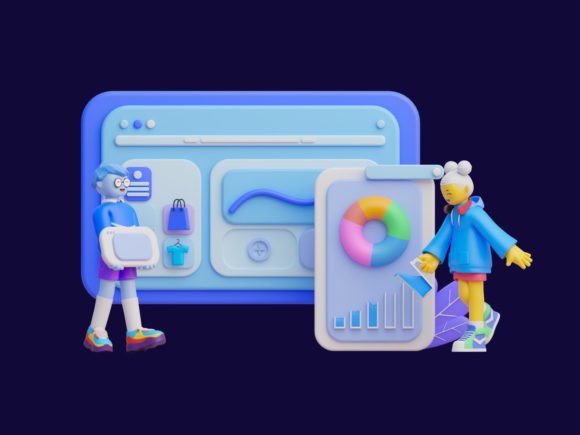
3D Team Working on UI Design
Designing user interfaces (UI) has evolved beyond flat graphics and static layouts. Today, creators are turning to 3D illustrations to add depth, dynamism, and personality to their work. One such powerful resource is the 3D Team Working on UI Design illustration. This premium asset offers a realistic depiction of a collaborative design team, ideal for presentations, social media content, or enhancing your own UI/UX projects with vibrant visuals.
Why 3D Illustrations Matter in UI Design
In the fast-paced digital world, standing out visually is crucial. A UI that feels modern, engaging, and professional can significantly influence user behavior and brand perception. The 3D Team Working on UI Design illustration helps you achieve this by offering a rich visual metaphor for collaboration and innovation.
For instance, if you're pitching a new software product to investors, using a high-quality 3D scene showing a diverse team working together can communicate teamwork, creativity, and progress in one compelling image. Similarly, marketers might use it in blog posts or infographics to highlight the importance of cross-functional collaboration in successful digital projects.
What’s Included and How It Enhances Your Workflow
The 3D Team Working on UI Design package includes multiple file formats and tools to support different workflows:
- Blend Files: These allow full customization within Blender, giving designers control over lighting, textures, colors, and character poses.
- Figma PNGs: Ready-to-use images optimized for Figma, perfect for inserting into wireframes, mockups, or interactive prototypes without needing 3D modeling skills.
- PSD PNGs: High-resolution images compatible with Photoshop, enabling seamless integration into marketing materials or website headers.
- Video Tutorial: A step-by-step guide on how to modify colors and adjust poses inside Blender, making it easier even for beginners to personalize the illustration.
This flexibility means whether you're a seasoned designer or just starting out, you can adapt the illustration to suit your needs. The video tutorial especially lowers the barrier to entry, allowing users to tweak elements without prior experience in 3D modeling.
Practical Benefits for Designers and Content Creators
One of the most significant advantages of using the 3D Team Working on UI Design illustration is its ability to save time while maintaining quality. Instead of commissioning custom artwork or spending hours creating a scene from scratch, you can access a professionally designed model ready for use or modification.
Consider an educator preparing a lecture on UX design principles. Adding a 3D illustration of a team working together can help explain complex concepts like collaboration, empathy, and iterative design more effectively than text alone. Or think of a freelancer who needs to showcase their portfolio—using a dynamic 3D graphic can make the difference between a forgettable presentation and one that leaves a lasting impression.
Supporting Creativity and Communication
Visual storytelling is key in today's content-driven landscape. The 3D Team Working on UI Design illustration supports creative expression by providing a versatile base for your ideas. Want to create a themed infographic about remote work? You can easily change the characters' clothing or expressions to match your concept.
Additionally, this type of illustration can strengthen communication across teams. For example, when presenting a new app interface to stakeholders, using a 3D illustration can clarify how different roles interact with the system. It becomes a shared reference point, reducing ambiguity and aligning expectations.
Real-World Use Cases and Who Can Benefit
Small business owners, especially those launching digital products or services, often need to convey professionalism and innovation quickly. The 3D Team Working on UI Design illustration provides a cost-effective way to enhance websites, landing pages, or promotional videos with a polished look.
Bloggers and content creators can also leverage this asset to produce eye-catching thumbnails for YouTube or Instagram reels. In an age where attention spans are short, a colorful and animated 3D illustration can help capture interest and encourage engagement.
Freelancers and agencies benefit from having customizable assets at their fingertips. They can offer clients a more tailored experience, adjusting the illustration to reflect specific branding or project themes. This level of personalization not only increases client satisfaction but also demonstrates technical versatility.
Improving Presentations and Prototypes
When building prototypes or preparing investor decks, static UI elements can feel lifeless. By integrating the 3D Team Working on UI Design illustration, you bring movement and realism to otherwise two-dimensional layouts. This can be particularly useful in demonstrating how a real-world team interacts with a digital platform during development or training phases.
Imagine a startup using this illustration in a pitch deck to show how their platform fosters collaboration among developers, designers, and testers. The visual element reinforces the message, making it more relatable and persuasive.
Efficiency Gains and Creative Freedom
Working with 3D illustrations may seem daunting at first, but the included Blend files and video tutorials streamline the process. Users can quickly experiment with different color schemes or character positions to find the best fit for their project. This is especially helpful for brands looking to maintain consistency across multiple platforms.
Take a case where a company wants to promote a new design tool on both LinkedIn and their website. Using the same 3D illustration with slight variations—like changing the pose of a character or the background tone—can create a cohesive yet diverse set of visuals without requiring separate designs for each medium.
Customization Without Compromise
Many stock illustrations are limited in their adaptability, often forcing designers to work around pre-set constraints. The 3D Team Working on UI Design illustration flips this script by offering a fully editable environment. Whether you want to reposition a character, adjust lighting, or swap out props, the Blend file gives you the freedom to do so without losing quality.
For example, a marketer could take the default scene and replace the UI screens with their own product mockups. This allows them to showcase their offerings in a contextually relevant setting without investing in custom illustration work.
Who Should Consider This Asset
While the 3D Team Working on UI Design illustration is valuable to many, certain professionals will find it especially beneficial:
- UI/UX Designers: Looking to add visual flair and realism to their mockups or prototypes.
- Marketing Teams: Needing engaging imagery for campaigns, blogs, or social media.
- Entrepreneurs: Seeking to present their digital solutions in a professional and attractive manner.
- Content Creators: Wanting to elevate their visual storytelling with unique and customizable 3D graphics.
- Educators: Explaining complex design processes through visual metaphors.
These individuals and teams typically require high-quality visuals that align with their brand identity or project goals. The illustration meets these needs by combining artistic value with functional adaptability.
Limitations and When to Compare Options
It’s important to consider that while the 3D Team Working on UI Design illustration is highly customizable, it may not cover every possible scenario. If your project requires characters outside the provided range or very specific environments, you might need to explore additional resources or hire a custom 3D artist.
Moreover, some users might prefer vector-based illustrations for scalability or animation purposes. While the PNG versions included here are suitable for most screen-based applications, they may not be ideal for large print formats. Always review the file types and resolution before finalizing your choice.
Enhancing Your Digital Projects with 3D Assets
Integrating 3D elements into your UI design toolkit can open up new possibilities. The 3D Team Working on UI Design illustration is a great starting point for those exploring 3D content. Its combination of realism, customization, and usability makes it a practical addition to any creative workflow.
As more industries adopt 3D visuals, having access to premium assets like this one ensures your work remains competitive and visually appealing. Whether you’re designing for a mobile app, a web platform, or educational material, adding a touch of 3D can help you stand out in a crowded market.
Final Thoughts on Practical Application
Ultimately, the 3D Team Working on UI Design illustration serves as a bridge between concept and execution. It allows you to visualize collaboration in action, which is invaluable in fields that rely heavily on teamwork and iteration. With the right tools and a bit of creativity, you can transform a standard design into something memorable and impactful.
So next time you're working on a presentation, a prototype, or a social media campaign, consider how a 3D illustration could bring your message to life. The blend of practicality and aesthetics in the Team Working On Ui Design 3D illustration makes it a smart investment for anyone serious about elevating their visual output.