How Blackboard 3D Illustration Enhances Modern Design Projects
In the fast-paced world of digital design, having access to high-quality visual assets can make all the difference. One such asset that's gaining popularity is Blackboard 3D illustration. This unique style combines educational charm with modern 3D rendering techniques to create visuals that are both eye-catching and functional. Whether you're working on apps, UI design, web projects, presentations, posters, or social media advertising, these illustrations offer a fresh perspective that aligns perfectly with creative needs.
Understanding Blackboard 3D Illustration
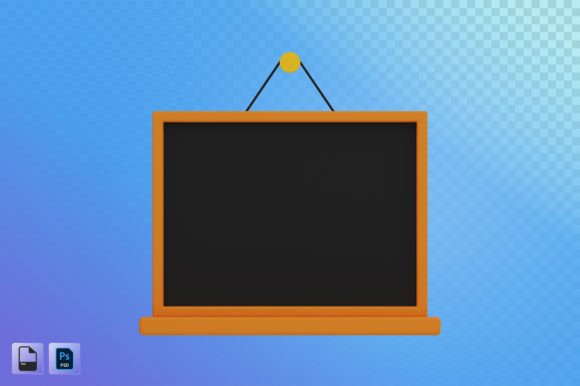
Blackboard 3D illustration refers to a stylized visual representation where elements appear as if drawn on a chalkboard using three-dimensional modeling tools. These designs mimic the texture and imperfection of traditional blackboards while leveraging the depth, lighting, and realism of 3D graphics. The result is a compelling blend of nostalgia and innovation that appeals to a wide audience.
This type of illustration is particularly effective in environments where education, creativity, and clarity intersect. It’s often used in infographics, app interfaces, website headers, and marketing materials for schools, startups, and edtech companies. The tactile feel of the blackboard combined with 3D realism helps engage users and communicate concepts more effectively than flat images ever could.
Why Designers Are Choosing Blackboard 3D Illustration
Designers across various fields are turning to Blackboard 3D illustrations for several key reasons:
- High resolution: Files typically come in resolutions up to 2000x2000 pixels, ensuring crisp and clear visuals even when scaled up for large displays or printed materials.
- Multiple file formats: Access to both PSD and PNG files gives designers the flexibility to work within their preferred software and edit individual layers for customization.
- Versatility: These illustrations suit a broad range of applications from UI/UX design to content creation, making them an invaluable addition to any designer’s toolkit.
- Modern yet timeless aesthetic: The combination of 3D effects and classic blackboard textures offers a look that feels both current and familiar, bridging the gap between retro and contemporary design trends.
Use Cases for Blackboard 3D Illustrations
Let’s break down some specific scenarios where Blackboard 3D illustrations really shine:
- UI and App Design: For developers and UX designers, incorporating a Blackboard 3D illustration into an app interface adds personality without sacrificing usability. It works especially well in educational apps or platforms focused on brainstorming and ideation.
- Web Design: Websites targeting young professionals, students, or educators benefit greatly from this style. Use it in hero sections, landing pages, or as background elements to evoke a sense of learning and creativity.
- Presentations and Posters: When designing slides or print materials for conferences, workshops, or academic settings, a Blackboard 3D illustration brings a dynamic visual element that stands out and supports your message.
- Social Media Advertising: On platforms like Instagram, Facebook, or LinkedIn, these illustrations capture attention quickly. Their playful nature makes them ideal for campaigns promoting online courses, productivity tools, or community events.
- Content Creation: Bloggers, YouTubers, and influencers use these illustrations to add visual interest to their posts. They’re perfect for explaining complex topics in a simple, engaging way.
Practical Benefits of Using Blackboard 3D Illustrations
When it comes to practical benefits, Blackboard 3D illustrations offer more than just visual appeal. Here are a few reasons why they're becoming a go-to choice for many professionals:
Firstly, the high-resolution format ensures that the details remain sharp and professional across different mediums. Whether you're preparing a poster for a trade show or optimizing an image for a mobile app, you won’t have to worry about quality loss due to scaling.
Secondly, the availability of PSD files means that you can tweak colors, adjust lighting, or modify individual components to match your brand guidelines or project requirements. This level of customization is essential in today’s competitive design landscape.
Additionally, the Blackboard 3D illustration style naturally evokes a sense of interactivity and engagement. Users tend to associate chalkboard visuals with teaching, collaboration, and idea generation—making them ideal for branding around learning or problem-solving themes.
Key Considerations Before Adopting Blackboard 3D Illustration
While Blackboard 3D illustrations are versatile, there are a few factors to keep in mind before integrating them into your project:
- Tone and Context: Make sure the illustration matches the tone of your content. A whimsical blackboard scene might not be suitable for a corporate finance presentation but would fit perfectly in a STEAM-related campaign.
- Color Palette: These illustrations often feature muted tones and chalk-like textures. If your brand uses bold or vibrant colors, consider how the illustration will blend or contrast with your existing palette.
- Resolution Needs: Always verify the required resolution for your platform. While 2000x2000 px covers most use cases, some specialized printing or ultra-high-definition screens may demand higher specs.
- Layer Compatibility: PSD files allow layer editing, which is great for customization. However, ensure your team has the technical skills to utilize layered assets effectively.
Real-World Examples of Blackboard 3D Illustration in Action
To better understand the value of Blackboard 3D illustration, let’s explore a few real-world examples:
Example 1: Educational App Interface
An app designed for children to learn basic math features a Blackboard 3D illustration in its main menu. The chalkboard-style interface invites interaction and mimics a classroom environment, making the learning experience more relatable and fun.
Example 2: Social Media Ad for Online Courses
A company offering graphic design courses uses a Blackboard 3D illustration to showcase the course outline. The illustration includes icons of tools like brushes and rulers, arranged in a realistic 3D layout. This approach communicates professionalism while keeping the ad visually appealing.
Example 3: Conference Poster Design
For a tech conference focused on AI and machine learning, a designer created a Blackboard 3D illustration showing data flow and neural networks. The 3D depth helped visualize abstract concepts, and the chalkboard theme reinforced the event’s educational focus.
Tools and Techniques for Creating Blackboard 3D Illustrations
If you're interested in creating your own Blackboard 3D illustrations, here are some common tools and techniques used by professionals:
- Blender: An open-source 3D modeling tool ideal for building detailed scenes with customizable textures.
- Cinema 4D: Known for its intuitive workflow, Cinema 4D allows quick rendering of 3D objects with a chalky material finish.
- Adobe Photoshop: Used to refine the output after 3D rendering, Photoshop enables color correction, adding chalk strokes, and exporting to multiple file formats like PNG and PSD.
- Chalk Texture Overlays: Many designers use overlays to give a 2D image a 3D blackboard effect. This is a cost-effective method for simpler projects.
Creating these illustrations requires a mix of artistic flair and technical know-how. Fortunately, many pre-made assets are available online, allowing you to integrate the style into your projects without starting from scratch.
Integrating Blackboard 3D Illustration Into Your Workflow
Whether you're a seasoned designer or just starting out, adding Blackboard 3D illustration to your workflow can streamline your process and enhance your final output. Here’s how to do it effectively:
- Define Your Purpose: Determine what you want the illustration to achieve—branding, storytelling, or user engagement. This will guide your choice of subject matter and composition.
- Select the Right Format: Choose between PNG and PSD depending on whether you need a static image or editable layers. Both formats are widely supported, so compatibility shouldn't be an issue.
- Customize to Match Branding: With PSD files, you can change colors, fonts, and elements to align with your brand identity. This ensures consistency across all your visual content.
- Optimize for Performance: Even though these illustrations are high-res, it’s important to compress PNGs appropriately for web use. Tools like TinyPNG or Adobe’s export options help maintain quality while reducing file size.
- Test Across Platforms: Before finalizing, test the illustration on the intended devices or media to ensure it looks good and functions well—especially for responsive websites or mobile apps.
Where to Find Quality Blackboard 3D Illustrations
There are numerous marketplaces and design communities where you can find ready-to-use Blackboard 3D illustrations. Look for resources that offer:
- Files in 2000x2000 px resolution
- Both PNG and PSD formats
- Editable vector elements (if possible)
- Transparent backgrounds for easy integration
Websites like Adobe Stock, Shutterstock, and Creative Market host a growing collection of these assets. Be sure to read reviews and check licensing terms before downloading to avoid any issues later on.
Common Mistakes to Avoid
Despite their versatility, Blackboard 3D illustrations aren’t always the best fit. Here are some common mistakes to watch out for:
- Overusing the Style: Too much of anything can dilute your message. Use Blackboard 3D illustrations strategically rather than as a default option.
- Ignoring Contrast: Chalkboard textures can sometimes reduce readability. Ensure text or key elements stand out clearly against the background.
- Mismatched Themes: Don’t force the style into every project. If your brand or content doesn’t naturally align with the educational or creative vibe, it may come off as forced or unprofessional.
- Lack of Scalability Testing: Always preview the illustration at different sizes to confirm it maintains its clarity and impact.
Future Trends and Adoption
As digital experiences continue to evolve, the demand for illustrative assets that combine authenticity with modern aesthetics is rising. Blackboard 3D illustration is well-positioned to become a staple in UI design, especially for SaaS platforms and educational content creators.
Emerging technologies like AR and VR are also opening new avenues for this style. Imagine interactive blackboard scenes in virtual classrooms or explainer videos where users can “erase” parts of an illustration to reveal more information. These possibilities highlight the adaptability and potential longevity of the Blackboard 3D trend.
Final Thoughts on Implementation
When implemented thoughtfully, Blackboard 3D illustrations can elevate your design work significantly. Their ability to convey ideas in a friendly, engaging manner makes them a powerful tool for content creators, marketers, and designers alike.
Before adopting this style, take time to assess your project goals, target audience, and design constraints. But once you’ve made the decision, the high-resolution, multi-format support, and thematic richness of Blackboard 3D illustration will likely prove worth the investment. As technology continues to advance, we can expect to see even more creative uses of this style in upcoming projects.